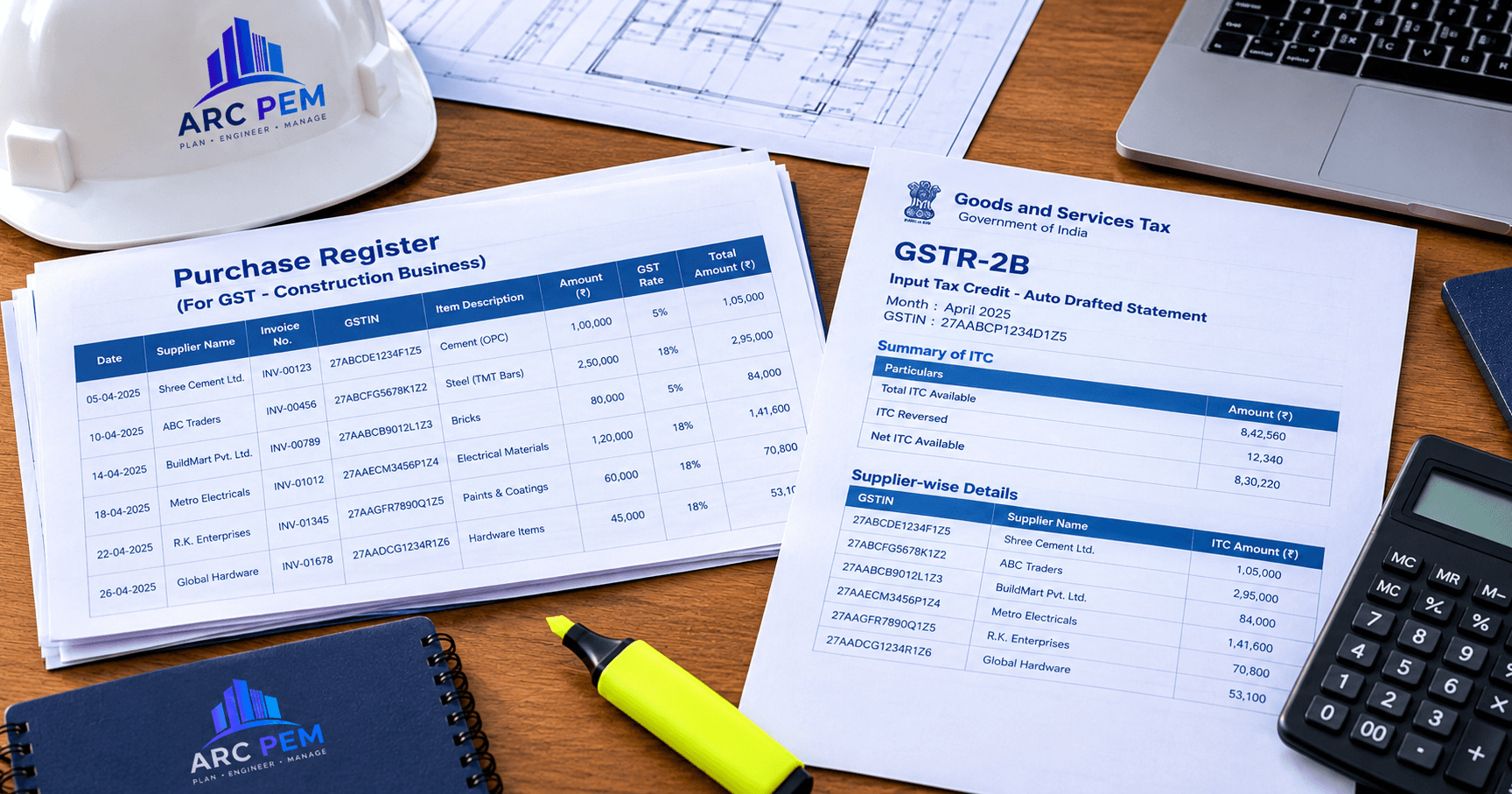
GSTR-2B reconciliation means matching the purchase invoices in your books with the invoices that suppliers have reported to the GST portal, which appear in your GSTR-2B statement, before you claim input tax credit (ITC) in GSTR-3B. For contractors and builders, it is the monthly check that stops a missing supplier invoice from becoming lost credit.
Quick answer: download your GSTR-2B after it is generated on the 14th, compare it with your purchase register invoice by invoice, sort the differences into matched, mismatched, missing in 2B and missing in books, resolve them with suppliers and your site team, and claim in GSTR-3B only what is supported. Keep the evidence for every difference.
This guide is general information and not tax advice. GST rules, forms and portal features change, so confirm the current position with your CA before you rely on it.
Why GSTR-2B Reconciliation Matters More for Contractors
A construction business buys from many suppliers, often small ones, across several sites. Bills arrive late from the site, material is delivered to one place and billed to another, and rate differences are settled later by credit notes. Each of these creates a gap between your books and the GST portal.
That gap matters because ITC is generally available only where the supplier has reported the invoice and it appears in your GSTR-2B (Section 16(2)(aa) of the CGST Act), the tax has actually been paid to the government (Section 16(2)(c)), and you claim within the time limit in Section 16(4). A bill that is in your books but not in your GSTR-2B can leave you unable to claim the credit, and a claim that is not supported by GSTR-2B can attract a system notice.
The Terms You Need
| Term | What it means |
|---|---|
| Purchase register | Your own record of purchase invoices, with supplier GSTIN, invoice number, date, value and tax |
| GSTR-2B | A static, auto-generated statement of ITC available to you for a month, created on the 14th of the following month from what your suppliers have reported |
| IMS (Invoice Management System) | A window on the GST portal where you can accept, reject or keep pending the invoices your suppliers have uploaded, before GSTR-2B is generated |
| GSTR-3B | The monthly summary return where you declare your tax liability and claim ITC |
| DRC-01C | An intimation the GST system can generate when ITC claimed in GSTR-3B exceeds the ITC available in GSTR-2B beyond the permitted limit |
The Monthly Timeline
- Suppliers report their sales through GSTR-1 or the Invoice Furnishing Facility (IFF). Small suppliers who file quarterly may report only at quarter end, so their invoices can appear later than you expect.
- Invoices appear in your IMS. You can accept, reject or keep them pending. Records you accept, or that are deemed accepted, flow into the ITC Available section of GSTR-2B. Records kept pending are not included in GSTR-2B or GSTR-3B until you act on them.
- GSTR-2B is generated on the 14th. If you change actions in IMS afterwards, re-compute GSTR-2B before you file GSTR-3B.
- You reconcile GSTR-2B with your purchase register.
- You file GSTR-3B and claim the ITC that is supported.
Step-by-Step: How to Reconcile GSTR-2B With Your Purchase Register
Step 1: Close your purchase register for the month
Record every purchase bill you have received for the period, including site bills that reached the office late. A bill that is not booked cannot be reconciled.
Step 2: Download GSTR-2B
Download the statement for the month from the GST portal, in Excel or JSON. After you finish your IMS actions, make sure it is the re-computed version.
Step 3: Match on supplier GSTIN, invoice number, date and value
For each invoice, compare the supplier's GSTIN, invoice number, invoice date, taxable value and tax amounts. Small formatting differences, such as extra zeros, hyphens or slashes in invoice numbers, are a common reason for false mismatches.
Step 4: Sort the results into five groups
| Group | Meaning |
|---|---|
| Exact match | Present in both with the same details |
| Almost match | Present in both with minor differences, such as an invoice number format |
| Mismatch | Present in both, but with a material difference in value, tax or date |
| Missing in 2B | In your books, not in GSTR-2B |
| Missing in books | In GSTR-2B, not in your books |
Step 5: Take action on each group
- Exact match: claim the ITC, if it is otherwise eligible.
- Almost match: correct the formatting difference in your register or note it, and claim.
- Mismatch: ask the supplier to correct the invoice or file an amendment. Meanwhile, keep it pending in IMS if you have not accepted it, and claim only the supported amount.
- Missing in 2B: check whether the supplier has filed, then follow up. Don't claim it until it appears.
- Missing in books: verify that you actually received the goods or service. If yes, book it. If it is a duplicate or belongs to someone else, reject it in IMS.
Step 6: Claim in GSTR-3B only what is supported
Don't claim more ITC than GSTR-2B shows. The system can raise a notice in Form DRC-01C when the ITC claimed exceeds GSTR-2B beyond the permitted limit.
Step 7: Keep the evidence
For every material difference, keep the invoice, your purchase entry, the delivery challan or goods-receipt record, and your communication with the supplier. This is what your CA will need if a notice arrives.
Worked Example: A Month of Site Purchases
All figures are hypothetical. Here are five supplier invoices and the tax on each.
| Supplier | Tax per your books | Tax per GSTR-2B | Result |
|---|---|---|---|
| A: Cement | ₹54,000 | ₹54,000 | Exact match |
| B: Steel | ₹36,000 | ₹36,000 | Exact match |
| C: Sand and aggregates | ₹4,500 | Not shown | Missing in 2B |
| D: Tiles | ₹14,400 | ₹12,600 | Mismatch of ₹1,800 |
| E: Electrical items | Not booked | ₹7,200 | Missing in books |
| F: Hardware | ₹10,800 | ₹10,800 | Exact match |
| Total | ₹1,19,700 | ₹1,20,600 | Net difference ₹900 |
The totals differ by only ₹900, which looks harmless. But the invoice-level picture is very different: −₹4,500 (C, missing in 2B), −₹1,800 (D, mismatch) and +₹7,200 (E, missing in books) happen to offset each other. Matching totals can hide mismatched invoices, so reconcile invoice by invoice.
The actions would be:
- C: the supplier may file quarterly or may not yet have filed. Follow up, and claim only after the invoice appears.
- D: ask the supplier to correct the tax. Until then, claim the ₹12,600 shown in GSTR-2B and track the ₹1,800 difference.
- E: the bill may still be at the site. Verify delivery, book it, and the credit can be claimed once it is reflected and eligible.
Why Contractor Purchases Go Missing or Mismatch
- Wrong GSTIN or firm name. If you hold more than one registration, or a supplier bills your project name instead of your firm, the invoice may land in someone else's GSTR-2B or in none.
- Bills that reach the office late. Material is delivered to the site but the bill is booked weeks later, in a different month from the one the supplier reported.
- Small suppliers filing quarterly, or filing late.
- Credit notes and rate differences, such as returns, rejected material and settled rates, that you record in books but the supplier hasn't reported.
- Duplicate or mis-keyed entries, especially when the same bill is recorded under two projects.
- Advances and part-billing, where the payment and the invoice fall in different months.
- Invoice number formatting, which causes false mismatches in software.
A Purchase Register Format You Can Use
| Column | Why you need it |
|---|---|
| Project / site | So purchases can be tied to the right project |
| Supplier name and GSTIN | The first matching key |
| Invoice number and date | The second and third matching keys |
| Taxable value | To catch rate or value differences |
| CGST, SGST, IGST | To match tax amounts |
| Total invoice value | A cross-check |
| Goods or service received (date) | Evidence that you received what you were billed for |
| Reconciliation status | Matched, mismatch, missing in 2B, or missing in books |
| Action and owner | Who is following up with the supplier |
Time Limits and Eligibility
Matching GSTR-2B is only one condition. Section 16 of the CGST Act also requires, among other things, that you hold a valid tax invoice or other prescribed document, that you have received the goods or services, and that the supplier has paid the tax. Section 16(4) sets a time limit for claiming, generally the earlier of 30 November following the end of the financial year to which the invoice relates and the date you file the annual return. After that, the credit is permanently lost.
Whether ITC is available at all for a particular purchase, for example where credit is restricted under Section 17(5), is a separate question. Check it with your CA for your business and contract type.
Doing This in Excel or With Software
A spreadsheet can do this for a small number of invoices, using the GSTIN and invoice number as lookup keys. As purchases grow across projects and suppliers, the work shifts to cleaning data and chasing differences, which is where the mismatches hide.
ARC PEM's expense and finance tracking keeps vendor, labour and GST records organised project by project, and the ARC PEM + Tally route exports supported records to your accounting software. That gives you a clean, project-tagged purchase register to take into your GST reconciliation, whether you reconcile in Excel, in your accounting software or with your CA. See how a project moves from BOQ to final GST purchase register, the construction glossary for GST terms, or view pricing.
For the sales side of GST, read how to raise a GST-compliant RA bill, and how the GST 2.0 rate changes affect your material costs.