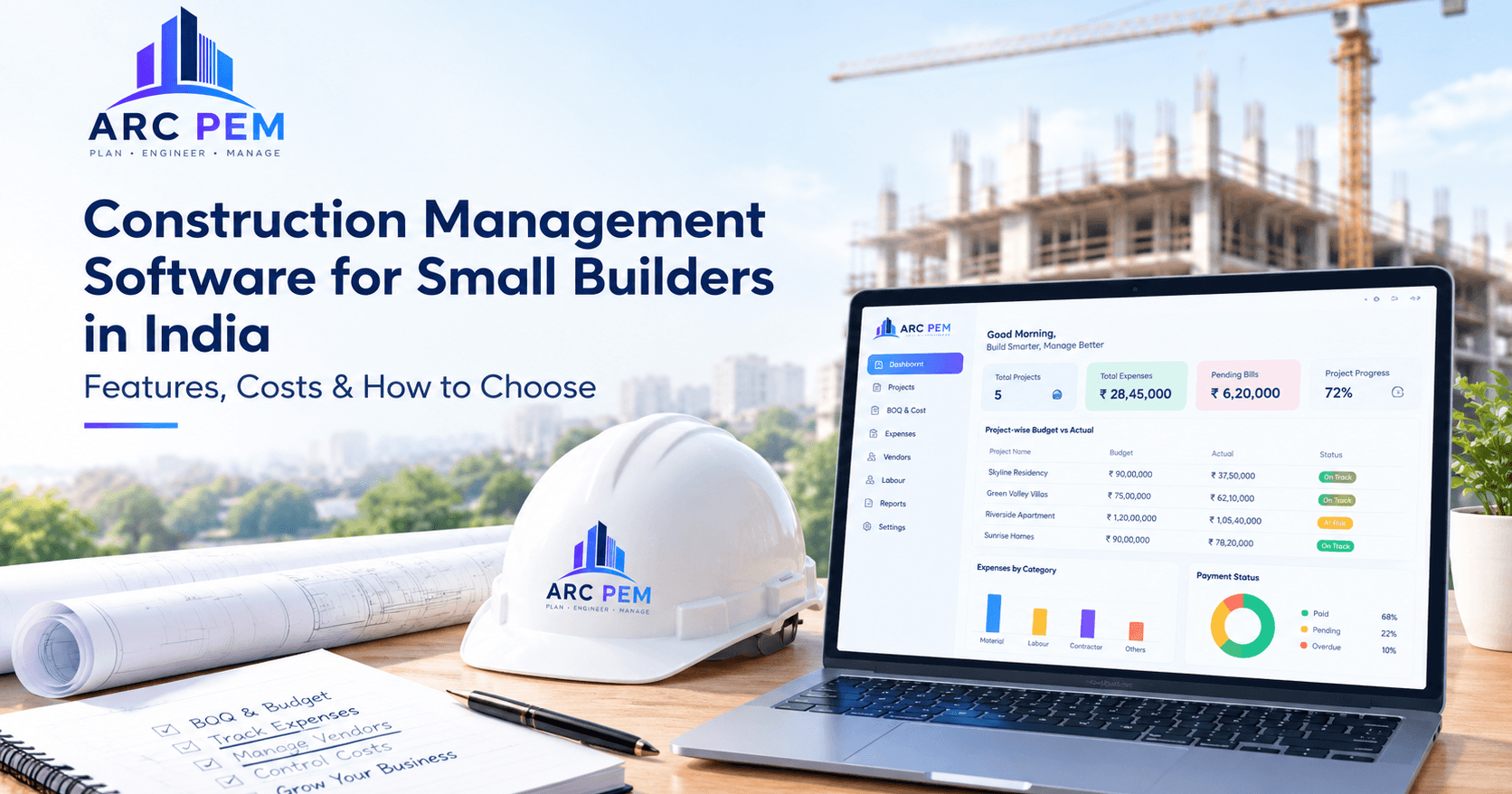
Construction management software helps builders organise project information, monitor progress and manage important workflows in one digital system. Depending on the product, it may cover scheduling, site reports, budgets, materials, labour, contractor bills and financial reporting.
For small builders in India, the right tool can reduce dependence on scattered Excel files, WhatsApp messages and paper registers. But software is useful only when its features match the way your team actually works.
Quick answer: If you manage several sites and struggle to keep project costs, bills and payments up to date, look for software that makes project-wise expenses and budget comparisons easy to review. Before choosing a platform, confirm that it supports the workflows you need rather than relying on a long feature list. Why small builders in India need construction management software Many small and mid-sized builders grow faster than their systems. Projects multiply, but tracking may still depend on phone calls, notebooks, spreadsheets and memory.
Common problems include:
- Cost overruns found too late: Material rates, wages and contractor bills accumulate without a clear comparison against the project budget.
- Scattered project records: Bills, expenses and payment details are stored in different files or conversations.
- Unclear vendor balances: Advances, part-payments and outstanding bills are difficult to reconcile.
- Labour costs that are hard to compare: Wage and attendance information may be maintained separately from project expenses.
- Slow accounts preparation: The team has to collect records and enter information again for reporting or accounting.
- Limited project-level visibility: Owners cannot easily see which projects are spending more than planned. A structured system helps bring the relevant records together so builders can review costs and follow up on outstanding items earlier. Key features small builders should look for Focus on the features that solve your daily problems. Not every business needs every module. Feature What to check Project budgets and BOQ Can you organise planned costs and compare them with actual expenses? Project-wise expense tracking Can each expense be assigned to the correct project and category? Vendor bill and payment records Can you review billed, paid and outstanding amounts? Contractor records Can you follow contractor bills, advances and balances? Labour cost tracking Can you record labour details and review wage costs? GST-related purchase reports Can your accounts team review purchase information and supporting records? Accounting exports Can you export supported records in a format your accountant can use? Reports and dashboards Can you quickly see project costs and items that need attention? Browser access and permissions Can authorised team members access the portal using supported browsers and permissions?
Confirm each feature with the provider before purchasing. Some platforms focus on scheduling and site coordination, while others focus more on project finances and cost control.
- Project planning and scheduling If project scheduling is important to your workflow, look for tools that let you define work stages, assign tasks and compare planned progress with actual progress. Confirm that the specific scheduling features you need are included in the plan.
- Daily progress reports Daily site reports can help owners understand work completed, manpower used and issues that may affect the schedule. If photo uploads or mobile reporting are essential, verify that the software supports them on the devices your team uses.
- Budgeting and cost control Set a budget for each project and compare it with recorded expenditure. A useful report should make it easier to identify where costs differ from the plan.
You can also explore ARC PEM's construction tools for estimating and related calculations. 4. Material and inventory management If material control is a major concern, ask whether the software supports purchase requests, purchase orders, goods received, stock balances and material issues to sites. Do not assume these features are included just because a product is described as construction management software. 5. Vendor, labour and contractor billing Check how the system handles vendor bills, labour expenses, contractor payments, advances and outstanding balances. Ask for a demonstration using a typical transaction from your own business. How much does construction management software cost in India? There is no single price for construction management software. Costs depend on the product, number of users, project limits, available features, support and billing model. Pricing model May suit What to check Per user per month Teams with a small number of office and site users How the bill changes when you add users Per project Builders managing a defined number of sites Whether inactive or completed projects count Tiered plans Businesses that need different feature levels Which reports and modules are included in each tier Annual subscription Teams budgeting for software over a year Renewal terms, taxes and cancellation conditions
Ask about additional costs: onboarding, data setup, staff training, extra users or projects, custom reports and support.
Do not choose on price alone. Consider the time your team spends consolidating spreadsheets, checking payments and preparing project reports. A tool is worthwhile when it improves a workflow your business actually uses.
For ARC PEM's current plans and terms, visit the official pricing page and confirm the plan that fits your team. Cloud-based construction management software vs Excel Excel can be useful for estimates and simple registers. Problems often appear when several people maintain separate files or when bills, payments and expenses need to be connected across multiple projects. Consideration Excel and separate records Cloud-based web portal Project information May be spread across multiple files Can bring supported workflows into one system Updates Depend on file ownership and version control Depend on the portal's permissions and update process Budget review May require manual formulas and consolidation May provide built-in budget and expense reports Vendor payments Often tracked in separate registers May provide vendor ledgers and pending-payment views Access Depends on how files are stored and shared Accessed online through supported browsers Cost May have a low initial cost Pricing varies by provider and plan
A cloud portal generally requires an internet connection for its online functions. Before choosing a provider, check supported browsers, user permissions, data export, security practices, backup arrangements and what happens if your connection is interrupted. How to choose the right software: a 7-step checklist
- List your top three pain points. Decide whether your biggest problems are budget overruns, delayed updates, vendor payments, labour costs or material tracking.
- Prioritise ease of use. Ask the provider to demonstrate the actual workflow your office and site team will use.
- Test a real project. Enter a sample budget, record an expense and bill, and generate a report.
- Check India-specific needs. Confirm GST-related reports, contractor payment records and any tax or compliance workflow your business requires.
- Ask about support. Check support hours, response times, training and what is included in the plan.
- Review data access and export. Make sure you understand permissions, backups and how you can export your records.
- Plan for growth. Check how the price and feature availability change when you add projects or users. Common mistakes to avoid
- Buying an enterprise platform when you only need a few core features.
- Assuming a product includes mobile apps, offline entry, inventory or compliance features without checking.
- Skipping training for the staff who will maintain the records.
- Moving every project into a new system before testing it on one project.
- Ignoring data ownership, export options and backup arrangements.
- Comparing prices without checking taxes, renewals and plan limits. How ARC PEM helps small builders ARC PEM is a cloud-based construction finance and project expense management platform accessed through a web portal. It is designed for Indian builders, contractors and architecture firms that need clearer visibility into project costs and financial records.
Relevant ARC PEM capabilities include:
- BOQ and budget management: Organise project budgets and review actual expenses against planned costs.
- Project-wise expense tracking: Keep supported project expense records organised by job.
- Vendor and contractor records: Review bills, payments and pending balances using the available ledger and payment features.
- Labour cost tracking: Maintain labour-related information through the supported workflow.
- GST purchase reporting: Organise purchase information for review and accounting workflows.
- Tally CSV export: Export supported records to help reduce repetitive data entry.
- Project cost visibility: Use available reports to review spending and identify figures that need attention. ARC PEM is focused on the financial side of construction. If you mainly need BOQ budgets, project expenses, vendor payments and accounting records to be organised, it is worth evaluating. If you need advanced scheduling, site-photo reporting, inventory control or other specialised modules, confirm those requirements with the ARC PEM team before deciding.
Want to see whether ARC PEM fits your workflow?
- Explore the ARC PEM website.
- Review plans on the pricing page.
- Book a demo to discuss your requirements. Frequently asked questions Which construction management software is best for small builders in India? The best software depends on the work you need to manage. Builders focused on BOQ budgets, project expenses, vendor and contractor bills, labour costs and GST-related records should prioritise financial tracking and accounting workflows. Firms focused on scheduling, drawings and large site teams may need a broader platform. Can small builders manage construction projects using Excel? Yes. Excel can work for a small number of projects when records are maintained consistently. As transactions and projects increase, version conflicts, manual reconciliation and delayed budget updates can make dedicated software worth considering. Is construction management software different from accounting software? Yes, although their functions can overlap. Construction management tools may track BOQs, project budgets, site expenses, contractor bills and labour costs. Accounting software focuses on financial accounting and related records. Some businesses use both, with project software exporting supported data to their accounting system. Does cloud-based construction management software require the internet? A web-based cloud portal generally requires an internet connection to access its online functions. Confirm the provider's access requirements and what happens if your connection is interrupted. How much should a small builder spend on construction software? Set a budget based on the number of projects, users, required features and time spent on manual administration. Compare the full cost with the work the software can realistically simplify, and confirm renewal terms before committing. Can construction management software help prevent budget overruns? It can help identify overspending earlier by comparing planned budgets with recorded expenses and highlighting variances. It cannot prevent every overrun automatically; accurate entries, timely reviews and sound project decisions remain essential. Conclusion The right construction management software is the one your team can use consistently and that solves the problems costing your business the most time or money.
Start with your biggest pain point, test the software with a real project and check the features, reporting, support and full cost before committing.
For builders who need better organisation of BOQ budgets, project expenses, vendor payments and accounting records, ARC PEM is worth evaluating.
Explore ARC PEM or visit the pricing page to see whether it fits your firm's workflow.