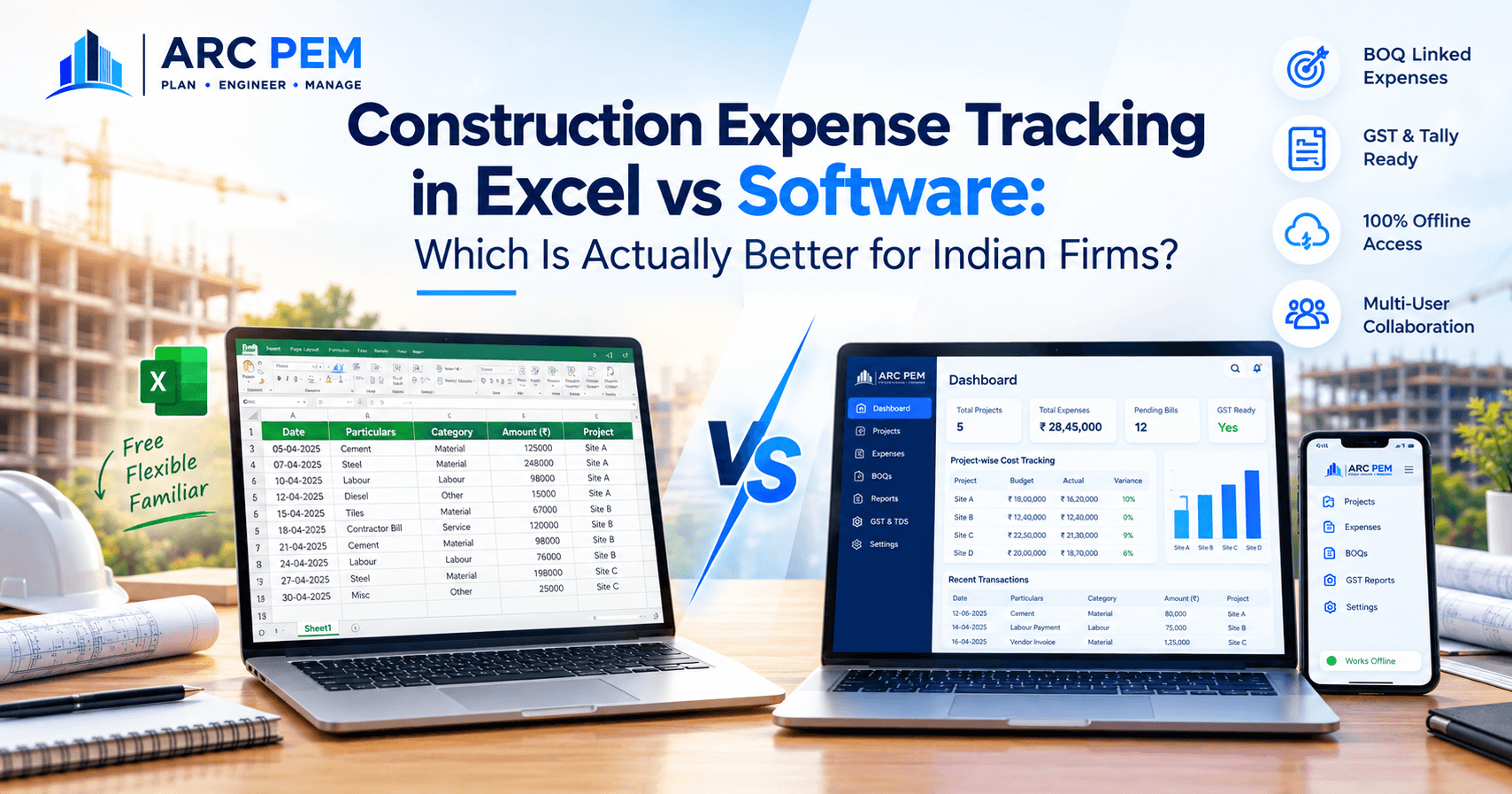
Almost every construction firm starts in Excel. It's free, everyone already knows it, and for a single small project, it genuinely works. The question isn't whether Excel is bad — it's whether it's still the right tool at the size your firm has grown to. This is an honest comparison, not a case against spreadsheets, because for some firms Excel really is the right call.
What Excel Actually Does Well
Before comparing, it's worth crediting what makes Excel the default starting point for so many firms:
- Zero cost and zero setup — everyone already has it, and there's no onboarding or migration involved.
- Total flexibility — you can structure a sheet exactly around how your firm thinks about a project, with no rigid template imposed on you.
- Familiarity — your site engineers, accountant, and project manager likely already know how to use it, so there's no training curve.
For a single project with one person handling the books and a manageable transaction volume, a well-built Excel sheet can genuinely be the most efficient option. The honest answer to "Excel or software" often depends less on firm size and more on how many projects run simultaneously, how many people touch the numbers, and how often you need an answer to "where does this project actually stand" right now, not next week.
Where Excel Starts to Break Down
The limitations rarely show up on day one — they show up as a firm scales past a certain point:
Every entry is manual, and every manual entry can be wrong. A missed material invoice, a duplicated labour payment, a formula that broke when someone inserted a row — these are common failure modes in real-world site accounting, and they compound the more transactions a sheet has to hold.
The numbers are only as current as the last person to update them. If your site engineer notes an expense in a notebook and enters it into the sheet three days later, you're making decisions on stale numbers for those three days — during exactly the window when a budget overrun is still cheap to catch.
One sheet, multiple editors, is a recipe for version confusion. When your accountant and your site engineer are both meant to be updating the same file, "which version is current" becomes its own recurring question — especially across email or WhatsApp-shared copies.
Cross-project visibility gets harder, not easier, as you grow. One project in one sheet is manageable. Five projects across five separate sheets, each with its own structure because a different person built it, means there's no single place to ask "how are we doing across all active sites this month."
Where Purpose-Built Software Changes the Picture
This is where the comparison actually matters — not in generic terms like "software is more efficient," but in what specifically becomes possible:
Every expense ties back to your original BOQ, automatically. Instead of a flat list of transactions, each expense is logged against the specific BOQ line it belongs to — so "estimated vs. actual" for cement, steel, or any material is always a live number, not something you reconstruct at month-end by cross-referencing two separate documents.
GST and Tally export are handled as part of the workflow, not bolted on afterward. For Indian firms specifically, this matters more than most generic project-management software accounts for — GST-compliant billing and a direct Tally export path mean your accountant isn't manually re-entering site data into a separate accounting system.
It works fully offline. Most software comparisons assume constant connectivity, which doesn't reflect a lot of actual Indian construction sites. A system that works without internet and syncs when you're back online is a genuinely different category of tool than one that requires a live connection to function.
Multiple people can update the same project without stepping on each other. A site engineer logging a material purchase and an accountant reconciling a vendor bill can both be working in the same project simultaneously without the version-confusion problem Excel creates.
An Honest Cost Comparison
Software has a subscription cost Excel doesn't — that's real and worth naming directly rather than glossing over. But the comparison that actually matters isn't "Excel is free, software costs money." It's what a tracking gap costs versus what the software costs.
Consider a mid-sized project with a ₹50 lakh material and labour budget. A 3% tracking gap — a handful of missed entries, a vendor slightly over-invoicing because nobody caught it against the BOQ, a duplicate payment that went unnoticed for a few weeks — is ₹1.5 lakh. That single gap, on a single project, is larger than most firms would spend on a year of project expense software. Excel doesn't cause that gap directly, but it also doesn't have any mechanism to catch it automatically the way a BOQ-linked system does.
When Excel Is Genuinely the Right Call
- You're running one project at a time, with low transaction volume
- One person owns the books, so version conflicts aren't a real risk
- You don't need GST-compliant billing or Tally integration as part of your workflow
- Detailed cross-project reporting isn't something you're currently missing
If that's your situation, switching tools is solving a problem you don't have yet — Excel is the right answer, and we'd say so even though we build software for this.
When It's Worth Making the Switch
- You're managing multiple projects at once and can't get a clear combined picture
- Budget overruns are getting caught late, after the money's already spent
- More than one person needs to update or view the numbers regularly
- GST billing and Tally reconciliation are eating hours every month
- You've had a real financial surprise — a leak you only noticed after it had already happened
Try It Before You Decide
If you want to see what BOQ-linked expense tracking looks like without committing to anything, our free tools are a good starting point — the Construction Cost Calculator and GST Contractor Bill Generator are built on the same underlying logic as the full ARC PEM platform, just without project-level tracking attached. If you're ready to see the full picture — multi-project tracking, offline access, and GST/Tally export working together — a live 20-minute demo will show you exactly how it handles a real project, using your own numbers if you'd like.
Free Download: We're also putting together a Construction Expense Tracker Excel template for firms that aren't ready to move off spreadsheets yet — genuinely useful either way, whether you switch or not.